> ## Documentation Index
> Fetch the complete documentation index at: https://docs.meld.io/llms.txt
> Use this file to discover all available pages before exploring further.
# Widget Flow Examples
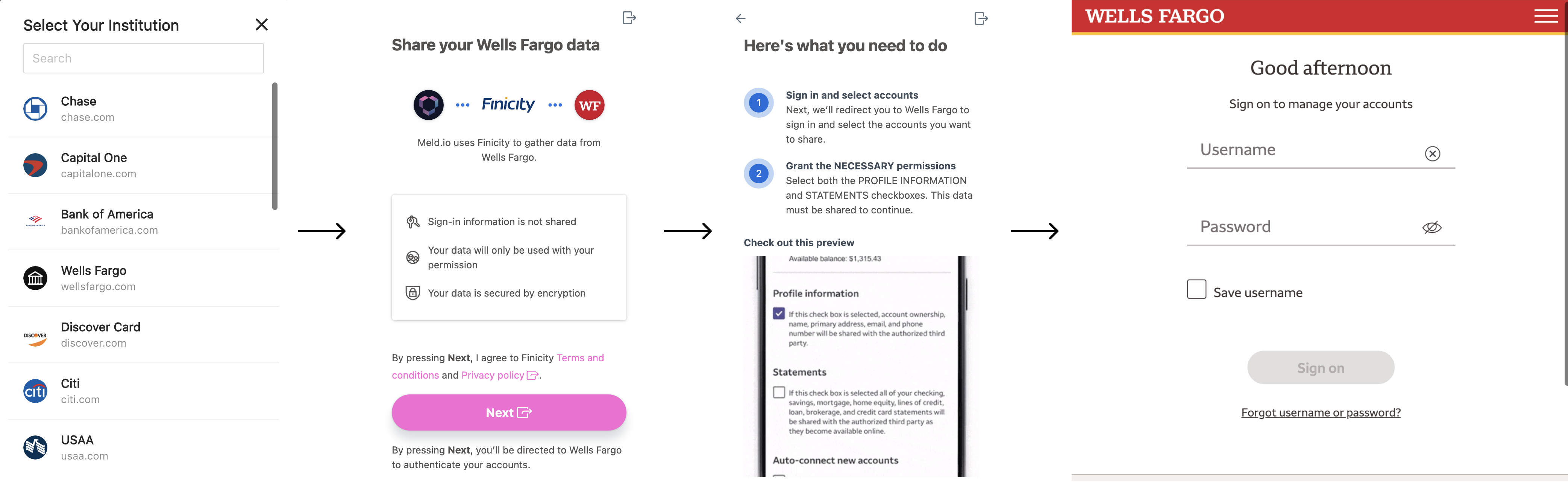
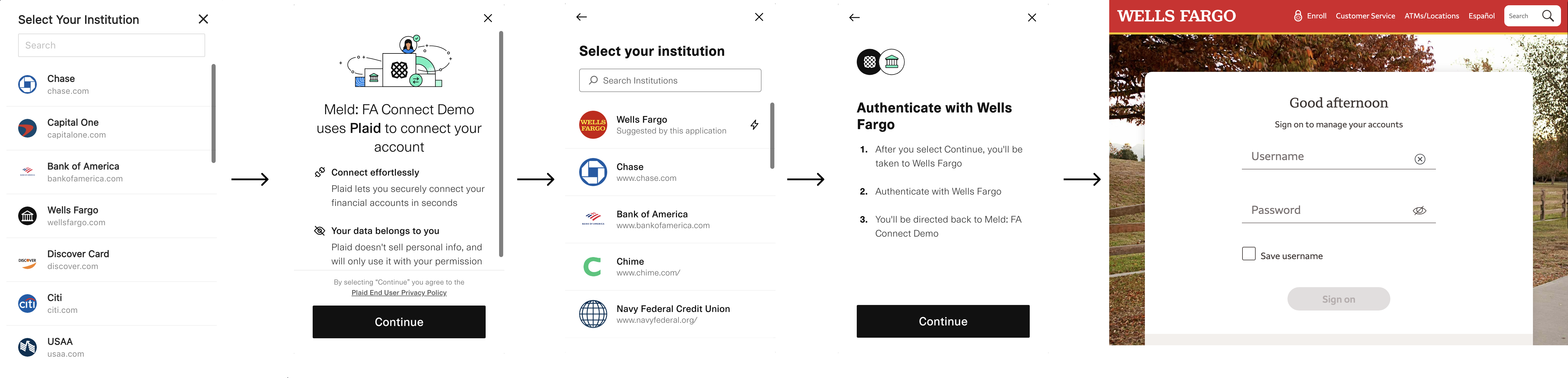
Your customer's flow depends on the service provider selected and the type of institution connection offered. There are two types of connections: **OAuth** and **Standard** (a.k.a. Traditional). OAuth connections tend to be higher fidelity but require a pop-out to the bank's website for customer authentication. The samples below show the expected behavior per provider so you can set the right UX expectations.
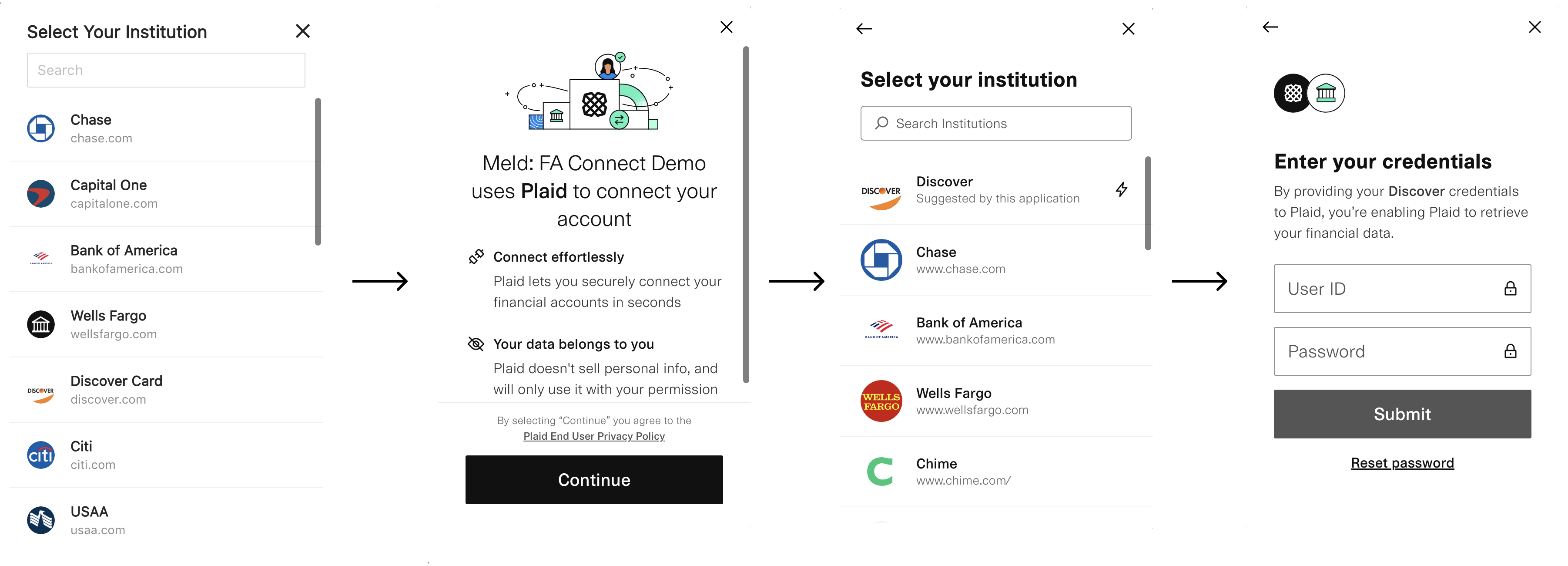
### Service Provider: Plaid, Connection: Traditional
Plaid requires their picker to be shown in addition to Meld's picker. When possible, Meld signals to Plaid to display a "suggested" lightning bolt next to the institution the customer selected (in the example, Discover).
### Service Provider: Plaid, Connection: OAuth
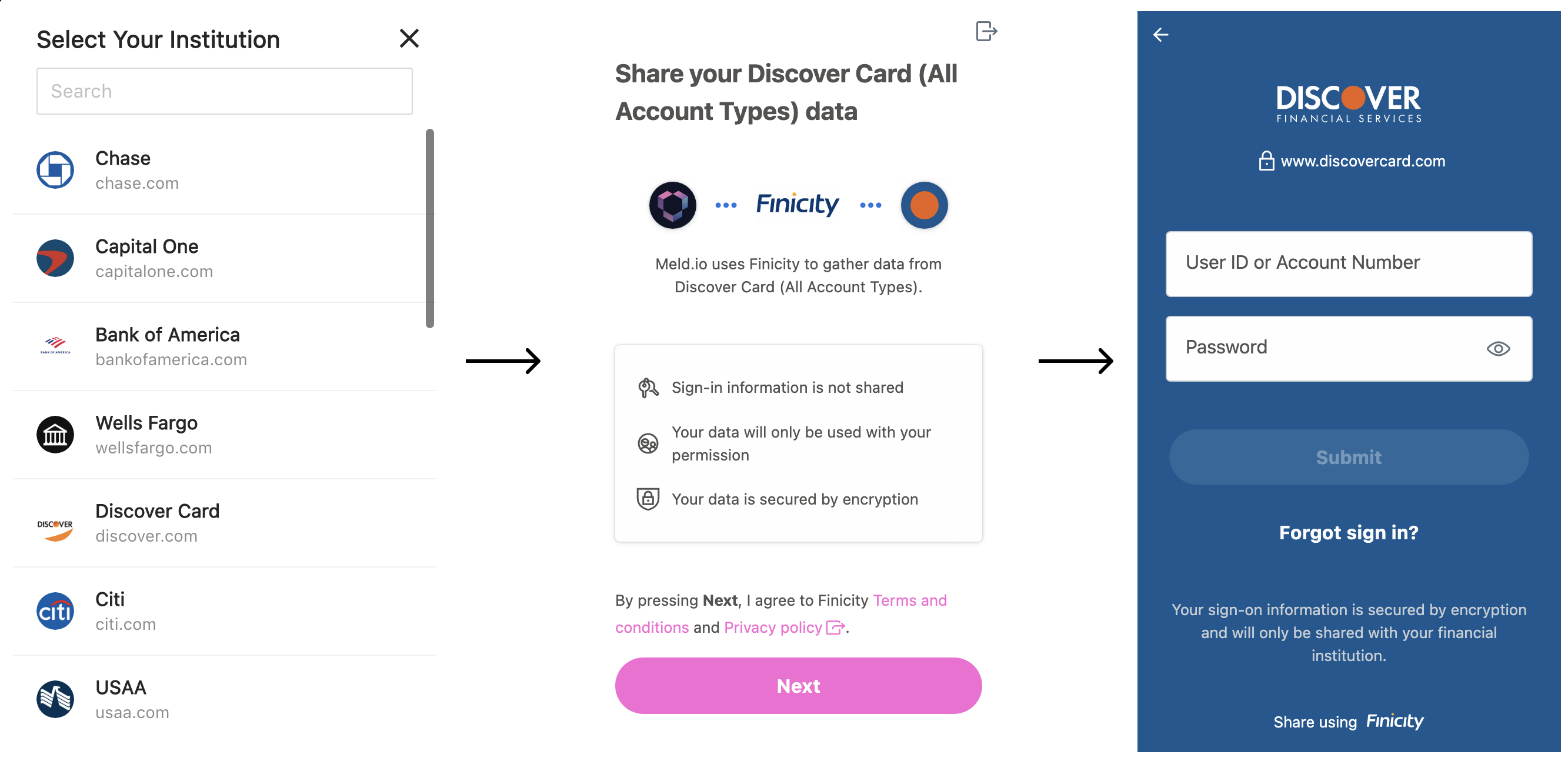
### Service Provider: Finicity, Connection: Traditional
Finicity users are directed straight to the institution login page and do not need to go through another picker.
### Service Provider: Finicity, Connection: OAuth