> ## Documentation Index
> Fetch the complete documentation index at: https://docs.meld.io/llms.txt
> Use this file to discover all available pages before exploring further.
# Quickstart
> Fast sandbox quickstart for the White-Label API — run a buy (on-ramp) and a sell (off-ramp) flow against Meld directly with your API key.
# Integration Quickstart
This quickstart is for developers integrating Meld's White-Label API for the first time. You call Meld directly over REST with `Authorization: BASIC {apiKey}` — there is no SDK or client framework to install. You'll go from zero credentials to a completed sandbox **buy** and **sell** transaction in about 30 minutes.
**Time required:** 30 minutes
**Difficulty:** API knowledge required
## Before you begin
* A Meld dashboard invitation (check your email)
* Ability to make authenticated REST calls (curl, Postman, or your language of choice)
* A publicly reachable webhook URL (optional; you can poll the API instead)
**Base URLs:** `https://api-sb.meld.io` (sandbox) and `https://api.meld.io` (production). Sandbox credentials will not work in production and vice versa. All examples below use the sandbox URL.
### Authentication
Every request carries the same headers:
```
Authorization: BASIC {apiKey}
Accept: application/json
Content-Type: application/json
Meld-Version: 2026-02-03
```
Always add `BASIC` before your API key. Send `Content-Type: application/json` only on requests with a body.
**Example:** `Authorization: BASIC W9kZTT7332okCEc1A9aqAq:3sYKoXQv6oHVHSts7G2agw9vTCXz`
## Step 1: Get your API key
Your API key is required for all Meld API calls.
Check your email for the Meld dashboard invitation, click the link, and log in.
In the dashboard at [https://dashboard.meld.io](https://dashboard.meld.io), go to **Developer → API Keys**.
Click **Reveal Key**, then copy and store your API key securely.
***
## Step 2: Set up webhooks
Webhooks notify your server when transactions are created and updated. This step can be completed later — you can poll `GET /payments/transactions/{id}` instead.
In the dashboard, go to **Developer → Webhooks** and click **Add Endpoint**.
Enter a publicly accessible **webhook URL** (http/https; localhost will not work), give it a descriptive name, and select **Subscribe to all events**.
Click **Add endpoint**. You'll now receive `TRANSACTION_CRYPTO_*` events for all transaction creations and updates.
For local testing, use a tunnel such as [ngrok](https://ngrok.com/) or [webhook.site](https://webhook.site/).
***
## Pick a direction
Everything downstream is parameterized by a **category**:
* **Buy (on-ramp)** — `CRYPTO_ONRAMP`: the user pays fiat and receives crypto.
* **Sell (off-ramp)** — `CRYPTO_OFFRAMP`: the user sends crypto and receives fiat.
Both directions use the same three core endpoints — `POST /payments/crypto/quote`, `POST /crypto/session/widget`, and `GET /payments/transactions/{id}`. The session body uses the **nested** `{ sessionType, sessionData }` shape in both cases. The differences are the source/destination ordering, the `sessionType`, and one extra step for sell (surfacing the deposit address).
This quickstart keeps discovery to the minimum needed. For full discovery (countries, default currencies, payment methods, and route limits via the `/network-partner/*` endpoints), see the [White-Label API Guide](/docs/stablecoins/white-label-api-integration/whitelabel-api-guide).
***
## Minimal buy in 4 calls
This is the fastest path to a completed on-ramp (`CRYPTO_ONRAMP`) sandbox transaction: **quote → session → launch widget → poll status**.
### 1. Get a quote
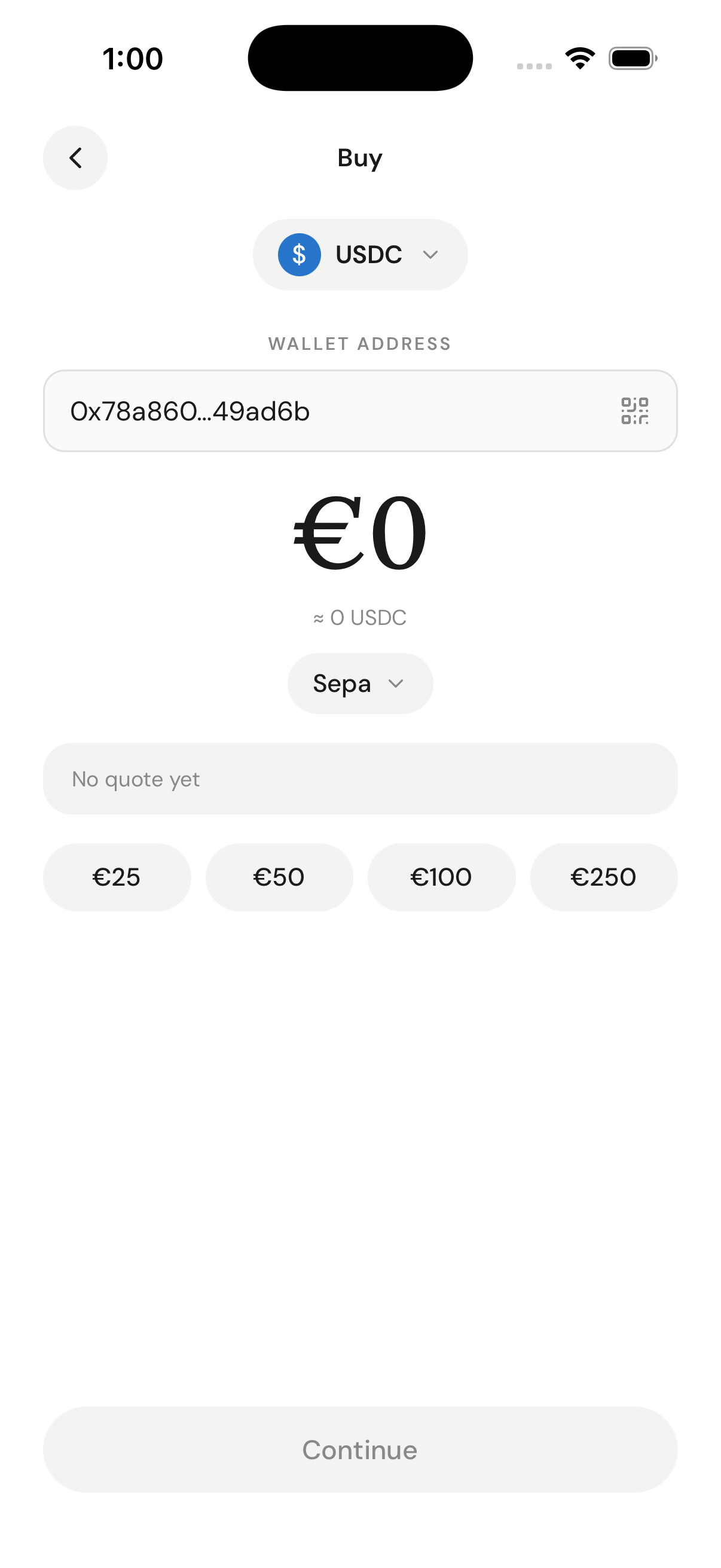
Request live quotes across providers. On the quote endpoint, `sourceAmount` is a **number**. For a buy, `sourceCurrencyCode` is the fiat the user pays and `destinationCurrencyCode` is the crypto they receive.
 ```bash curl theme={null}
curl -X POST https://api-sb.meld.io/payments/crypto/quote \
-H "Authorization: BASIC {apiKey}" \
-H "Content-Type: application/json" \
-H "Accept: application/json" \
-d '{
"countryCode": "US",
"sourceCurrencyCode": "USD",
"destinationCurrencyCode": "USDC",
"sourceAmount": 100,
"paymentMethodType": "CREDIT_DEBIT_CARD"
}'
```
```json Request body theme={null}
{
"countryCode": "US",
"sourceCurrencyCode": "USD",
"destinationCurrencyCode": "USDC",
"sourceAmount": 100,
"paymentMethodType": "CREDIT_DEBIT_CARD"
}
```
You'll receive one quote per provider. Pick one and keep its `serviceProvider` and `destinationAmount`.
```json theme={null}
{
"quotes": [
{
"transactionType": "CRYPTO_PURCHASE",
"sourceAmount": 100.00,
"sourceCurrencyCode": "USD",
"destinationCurrencyCode": "USDC",
"countryCode": "US",
"totalFee": 4.18,
"networkFee": 0.28,
"transactionFee": 2.9,
"partnerFee": 1,
"destinationAmount": 95.82,
"exchangeRate": 1.0,
"paymentMethodType": "CREDIT_DEBIT_CARD",
"serviceProvider": "TRANSAK",
"rampIntelligence": {
"rampScore": 21.66,
"lowKyc": false
}
}
]
}
```
Rank quotes by `rampIntelligence.rampScore` and `lowKyc` to pick the provider most likely to convert. See [Ramp Intelligence](/docs/stablecoins/white-label-api-integration/whitelabel-api-guide/ramp-intelligence).
### 2. Create a widget session
Use the **nested** `{ sessionType, sessionData }` body. Set `sessionType` to `BUY`. Note that `sessionData.sourceAmount` is a **string** here (it was a number on the quote endpoint). For a buy, `walletAddress` is the user's receive wallet.
```bash curl theme={null}
curl -X POST https://api-sb.meld.io/crypto/session/widget \
-H "Authorization: BASIC {apiKey}" \
-H "Content-Type: application/json" \
-H "Accept: application/json" \
-d '{
"sessionType": "BUY",
"sessionData": {
"countryCode": "US",
"sourceCurrencyCode": "USD",
"destinationCurrencyCode": "USDC",
"sourceAmount": "100",
"paymentMethodType": "CREDIT_DEBIT_CARD",
"serviceProvider": "TRANSAK",
"walletAddress": "0xd72cc3468979360e31bc83b84f0887deccfd81d5",
"redirectUrl": "https://example.com/return"
},
"externalCustomerId": "testCustomer",
"externalSessionId": "testSession"
}'
```
```json Request body theme={null}
{
"sessionType": "BUY",
"sessionData": {
"countryCode": "US",
"sourceCurrencyCode": "USD",
"destinationCurrencyCode": "USDC",
"sourceAmount": "100",
"paymentMethodType": "CREDIT_DEBIT_CARD",
"serviceProvider": "TRANSAK",
"walletAddress": "0xd72cc3468979360e31bc83b84f0887deccfd81d5",
"redirectUrl": "https://example.com/return"
},
"externalCustomerId": "testCustomer",
"externalSessionId": "testSession"
}
```
The response carries the launch URLs. Prefer `serviceProviderWidgetUrl` (the provider's hosted checkout); `widgetUrl` is a Meld-hosted fallback.
```json theme={null}
{
"id": "WePjVaT4iBHPpqW49F419x",
"externalSessionId": "testSession",
"externalCustomerId": "testCustomer",
"customerId": "WePZCYZjAK97cJWokfH3Jc",
"widgetUrl": "https://meldcrypto.com?token=eyJhbGciOi...",
"serviceProviderWidgetUrl": "https://transak.com?apiKey=1234&sessionId=eyJhbGciOi...",
"token": "eyJhbGciOiJIUzI1NiIsInR5cCI6IkpXVCJ9..."
}
```
### 3. Launch the provider widget
Open `serviceProviderWidgetUrl` (popup or redirect on desktop, webview or redirect on mobile). The provider runs its own KYC and payment collection. Whitelist your `redirectUrl` domain so the provider can return the user to you on completion.
For sandbox KYC and payment, use the test values below:
* **SSN:** any fake number — **ID upload:** any image file
* **Card number:** `4111 1111 1111 1111` — **Expiry:** any future date — **CVV:** any 3 digits
📚 **Full test data reference:** [Sandbox testing credentials](/docs/stablecoins/sandbox-guide/test)
### 4. Poll the transaction status
When you receive a `TRANSACTION_CRYPTO_*` webhook (or to poll directly), call `GET /payments/transactions/{transactionId}`. Match the inbound event to your `externalSessionId`.
```bash theme={null}
curl https://api-sb.meld.io/payments/transactions/WePZCYJW7cdXR7SxUMp8mE \
-H "Authorization: BASIC {apiKey}" \
-H "Accept: application/json"
```
You'll see the final `status` (for example `SETTLED`), the source/destination amounts, the `serviceProvider`, and on-chain details under `cryptoDetails`. The tracking section below shows the full payload.
***
## Minimal sell in 5 calls
A sell (`CRYPTO_OFFRAMP`) needs one discovery call to find a payout rail and its limits, then mirrors the buy flow with reversed currency ordering, `sessionType: SELL`, and an extra **deposit-address** step: **routes → quote → session → launch → show deposit address → poll status**.
### 1. Find a payout route (rail + limits)
For off-ramp, the route path is **source = crypto, destination = fiat**:
`GET /network-partner/supported/routes/{category}/{country}/{source}/{destination}`.
```bash theme={null}
curl "https://api-sb.meld.io/network-partner/supported/routes/CRYPTO_OFFRAMP/US/USDC/USD" \
-H "Authorization: BASIC {apiKey}" \
-H "Accept: application/json"
```
**Get the ordering right.** For sell, crypto comes first (`.../CRYPTO_OFFRAMP/US/USDC/USD`). Putting fiat first returns **HTTP 200 with an empty array `[]`** — not an error — which silently starves rail and limit discovery. (For buy, the order is reversed: fiat → crypto.)
Each route lists its payout methods and per-method limits. Send the `name` field (the canonical id, e.g. `ACH`) as `paymentMethodType` — never the display label. Validate the user's amount against `limits.min`/`limits.max`.
The canonical-id field name differs by endpoint: on `supported/routes` it's `name`, while on the separate `supported/payment-methods` endpoint it's `method` (and there `name` is the display label). Both carry the same ids — e.g. `ACH`, `CREDIT_DEBIT_CARD`.
```json theme={null}
[
{
"partner": "TRANSAK",
"source": "USDC",
"destination": "USD",
"paymentMethods": [
{
"paymentType": "BANK_TRANSFER",
"name": "ACH",
"partnerMethodName": "ach_payout",
"limits": { "currencyCode": "USD", "min": 10, "max": 10000 },
"headlessSupported": true
}
],
"kycLimits": []
}
]
```
```bash curl theme={null}
curl -X POST https://api-sb.meld.io/payments/crypto/quote \
-H "Authorization: BASIC {apiKey}" \
-H "Content-Type: application/json" \
-H "Accept: application/json" \
-d '{
"countryCode": "US",
"sourceCurrencyCode": "USD",
"destinationCurrencyCode": "USDC",
"sourceAmount": 100,
"paymentMethodType": "CREDIT_DEBIT_CARD"
}'
```
```json Request body theme={null}
{
"countryCode": "US",
"sourceCurrencyCode": "USD",
"destinationCurrencyCode": "USDC",
"sourceAmount": 100,
"paymentMethodType": "CREDIT_DEBIT_CARD"
}
```
You'll receive one quote per provider. Pick one and keep its `serviceProvider` and `destinationAmount`.
```json theme={null}
{
"quotes": [
{
"transactionType": "CRYPTO_PURCHASE",
"sourceAmount": 100.00,
"sourceCurrencyCode": "USD",
"destinationCurrencyCode": "USDC",
"countryCode": "US",
"totalFee": 4.18,
"networkFee": 0.28,
"transactionFee": 2.9,
"partnerFee": 1,
"destinationAmount": 95.82,
"exchangeRate": 1.0,
"paymentMethodType": "CREDIT_DEBIT_CARD",
"serviceProvider": "TRANSAK",
"rampIntelligence": {
"rampScore": 21.66,
"lowKyc": false
}
}
]
}
```
Rank quotes by `rampIntelligence.rampScore` and `lowKyc` to pick the provider most likely to convert. See [Ramp Intelligence](/docs/stablecoins/white-label-api-integration/whitelabel-api-guide/ramp-intelligence).
### 2. Create a widget session
Use the **nested** `{ sessionType, sessionData }` body. Set `sessionType` to `BUY`. Note that `sessionData.sourceAmount` is a **string** here (it was a number on the quote endpoint). For a buy, `walletAddress` is the user's receive wallet.
```bash curl theme={null}
curl -X POST https://api-sb.meld.io/crypto/session/widget \
-H "Authorization: BASIC {apiKey}" \
-H "Content-Type: application/json" \
-H "Accept: application/json" \
-d '{
"sessionType": "BUY",
"sessionData": {
"countryCode": "US",
"sourceCurrencyCode": "USD",
"destinationCurrencyCode": "USDC",
"sourceAmount": "100",
"paymentMethodType": "CREDIT_DEBIT_CARD",
"serviceProvider": "TRANSAK",
"walletAddress": "0xd72cc3468979360e31bc83b84f0887deccfd81d5",
"redirectUrl": "https://example.com/return"
},
"externalCustomerId": "testCustomer",
"externalSessionId": "testSession"
}'
```
```json Request body theme={null}
{
"sessionType": "BUY",
"sessionData": {
"countryCode": "US",
"sourceCurrencyCode": "USD",
"destinationCurrencyCode": "USDC",
"sourceAmount": "100",
"paymentMethodType": "CREDIT_DEBIT_CARD",
"serviceProvider": "TRANSAK",
"walletAddress": "0xd72cc3468979360e31bc83b84f0887deccfd81d5",
"redirectUrl": "https://example.com/return"
},
"externalCustomerId": "testCustomer",
"externalSessionId": "testSession"
}
```
The response carries the launch URLs. Prefer `serviceProviderWidgetUrl` (the provider's hosted checkout); `widgetUrl` is a Meld-hosted fallback.
```json theme={null}
{
"id": "WePjVaT4iBHPpqW49F419x",
"externalSessionId": "testSession",
"externalCustomerId": "testCustomer",
"customerId": "WePZCYZjAK97cJWokfH3Jc",
"widgetUrl": "https://meldcrypto.com?token=eyJhbGciOi...",
"serviceProviderWidgetUrl": "https://transak.com?apiKey=1234&sessionId=eyJhbGciOi...",
"token": "eyJhbGciOiJIUzI1NiIsInR5cCI6IkpXVCJ9..."
}
```
### 3. Launch the provider widget
Open `serviceProviderWidgetUrl` (popup or redirect on desktop, webview or redirect on mobile). The provider runs its own KYC and payment collection. Whitelist your `redirectUrl` domain so the provider can return the user to you on completion.
For sandbox KYC and payment, use the test values below:
* **SSN:** any fake number — **ID upload:** any image file
* **Card number:** `4111 1111 1111 1111` — **Expiry:** any future date — **CVV:** any 3 digits
📚 **Full test data reference:** [Sandbox testing credentials](/docs/stablecoins/sandbox-guide/test)
### 4. Poll the transaction status
When you receive a `TRANSACTION_CRYPTO_*` webhook (or to poll directly), call `GET /payments/transactions/{transactionId}`. Match the inbound event to your `externalSessionId`.
```bash theme={null}
curl https://api-sb.meld.io/payments/transactions/WePZCYJW7cdXR7SxUMp8mE \
-H "Authorization: BASIC {apiKey}" \
-H "Accept: application/json"
```
You'll see the final `status` (for example `SETTLED`), the source/destination amounts, the `serviceProvider`, and on-chain details under `cryptoDetails`. The tracking section below shows the full payload.
***
## Minimal sell in 5 calls
A sell (`CRYPTO_OFFRAMP`) needs one discovery call to find a payout rail and its limits, then mirrors the buy flow with reversed currency ordering, `sessionType: SELL`, and an extra **deposit-address** step: **routes → quote → session → launch → show deposit address → poll status**.
### 1. Find a payout route (rail + limits)
For off-ramp, the route path is **source = crypto, destination = fiat**:
`GET /network-partner/supported/routes/{category}/{country}/{source}/{destination}`.
```bash theme={null}
curl "https://api-sb.meld.io/network-partner/supported/routes/CRYPTO_OFFRAMP/US/USDC/USD" \
-H "Authorization: BASIC {apiKey}" \
-H "Accept: application/json"
```
**Get the ordering right.** For sell, crypto comes first (`.../CRYPTO_OFFRAMP/US/USDC/USD`). Putting fiat first returns **HTTP 200 with an empty array `[]`** — not an error — which silently starves rail and limit discovery. (For buy, the order is reversed: fiat → crypto.)
Each route lists its payout methods and per-method limits. Send the `name` field (the canonical id, e.g. `ACH`) as `paymentMethodType` — never the display label. Validate the user's amount against `limits.min`/`limits.max`.
The canonical-id field name differs by endpoint: on `supported/routes` it's `name`, while on the separate `supported/payment-methods` endpoint it's `method` (and there `name` is the display label). Both carry the same ids — e.g. `ACH`, `CREDIT_DEBIT_CARD`.
```json theme={null}
[
{
"partner": "TRANSAK",
"source": "USDC",
"destination": "USD",
"paymentMethods": [
{
"paymentType": "BANK_TRANSFER",
"name": "ACH",
"partnerMethodName": "ach_payout",
"limits": { "currencyCode": "USD", "min": 10, "max": 10000 },
"headlessSupported": true
}
],
"kycLimits": []
}
]
```
 ### 2. Get a quote
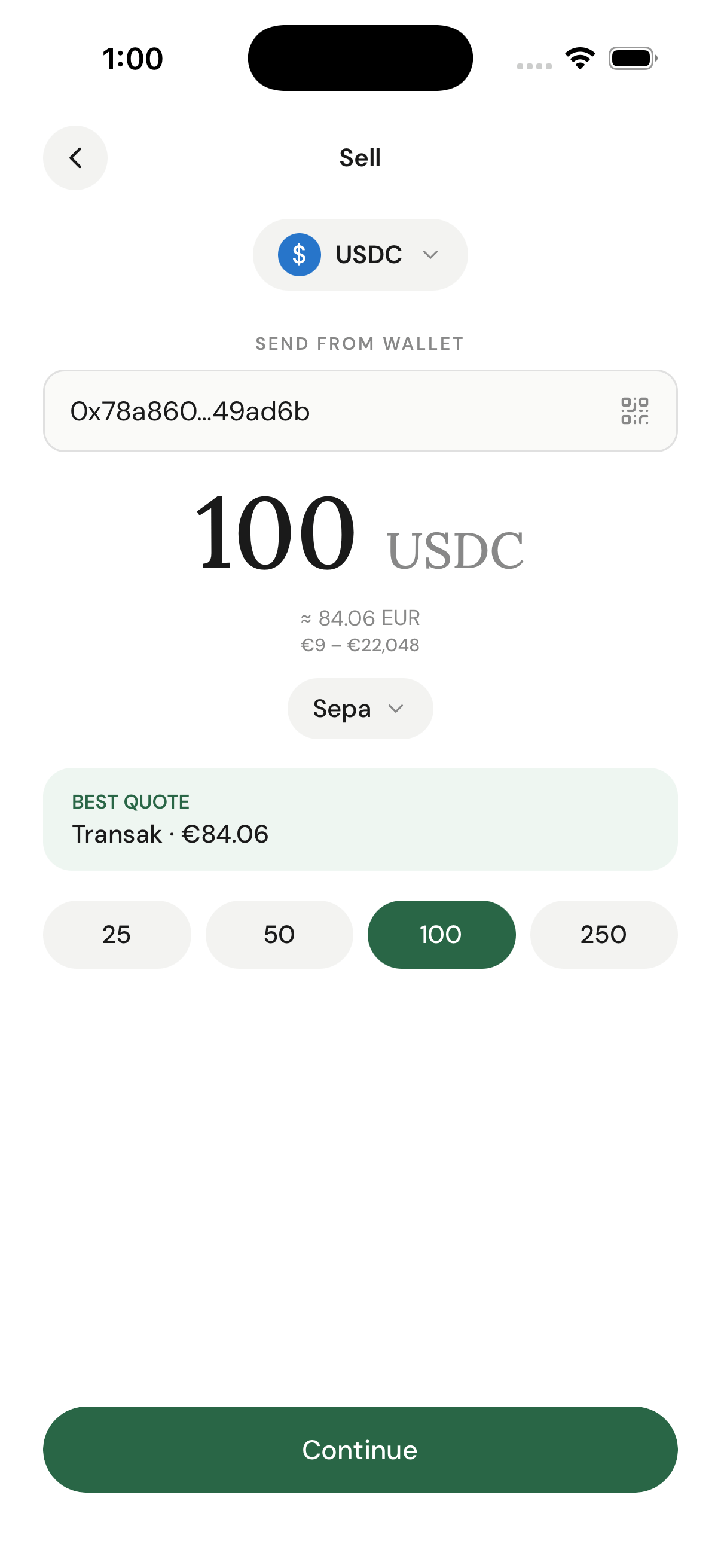
For a sell, the currency ordering is reversed versus buy: `sourceCurrencyCode` is the crypto and `destinationCurrencyCode` is the fiat the user receives. `sourceAmount` is a **number** in crypto units.
```bash curl theme={null}
curl -X POST https://api-sb.meld.io/payments/crypto/quote \
-H "Authorization: BASIC {apiKey}" \
-H "Content-Type: application/json" \
-H "Accept: application/json" \
-d '{
"countryCode": "US",
"sourceCurrencyCode": "USDC",
"destinationCurrencyCode": "USD",
"sourceAmount": 100,
"paymentMethodType": "ACH"
}'
```
```json Request body theme={null}
{
"countryCode": "US",
"sourceCurrencyCode": "USDC",
"destinationCurrencyCode": "USD",
"sourceAmount": 100,
"paymentMethodType": "ACH"
}
```
```json theme={null}
{
"quotes": [
{
"transactionType": "CRYPTO_SELL",
"sourceAmount": 100.00,
"sourceCurrencyCode": "USDC",
"destinationCurrencyCode": "USD",
"countryCode": "US",
"totalFee": 2.50,
"destinationAmount": 97.50,
"exchangeRate": 1.0,
"paymentMethodType": "ACH",
"serviceProvider": "TRANSAK"
}
]
}
```
Keep the chosen quote's `serviceProvider`. `destinationAmount` is the fiat the user will receive.
### 3. Create a widget session
Use the nested body with `sessionType: SELL`. The currency ordering matches the quote (crypto → fiat), and `sessionData.sourceAmount` is a **string**. Here `walletAddress` is the user's **own** send-from wallet (the source of the crypto), not a deposit address.
```bash curl theme={null}
curl -X POST https://api-sb.meld.io/crypto/session/widget \
-H "Authorization: BASIC {apiKey}" \
-H "Content-Type: application/json" \
-H "Accept: application/json" \
-d '{
"sessionType": "SELL",
"sessionData": {
"countryCode": "US",
"sourceCurrencyCode": "USDC",
"destinationCurrencyCode": "USD",
"sourceAmount": "100",
"paymentMethodType": "ACH",
"serviceProvider": "TRANSAK",
"walletAddress": "0xd72cc3468979360e31bc83b84f0887deccfd81d5",
"redirectUrl": "https://example.com/return"
},
"externalCustomerId": "testCustomer",
"externalSessionId": "testSellSession"
}'
```
```json Request body theme={null}
{
"sessionType": "SELL",
"sessionData": {
"countryCode": "US",
"sourceCurrencyCode": "USDC",
"destinationCurrencyCode": "USD",
"sourceAmount": "100",
"paymentMethodType": "ACH",
"serviceProvider": "TRANSAK",
"walletAddress": "0xd72cc3468979360e31bc83b84f0887deccfd81d5",
"redirectUrl": "https://example.com/return"
},
"externalCustomerId": "testCustomer",
"externalSessionId": "testSellSession"
}
```
The response shape matches the buy flow — prefer `serviceProviderWidgetUrl`.
### 4. Launch the provider widget
Open `serviceProviderWidgetUrl`. The provider collects the user's payout-bank details and runs KYC.
### 5. Show the deposit address, then poll
After the widget completes, fetch the transaction (by `transactionId`, or look it up by your `externalSessionId`) to read the provider's deposit address — the address the user must send crypto to.
```bash theme={null}
curl https://api-sb.meld.io/payments/transactions/{transactionId} \
-H "Authorization: BASIC {apiKey}" \
-H "Accept: application/json"
```
Read the deposit address with this exact precedence:
```js theme={null}
const depositAddress =
transaction.cryptoDetails.destinationWalletAddress ??
transaction.cryptoDetails.offrampDestinationWalletAddress;
```
Never use `cryptoDetails.walletAddress` — that is the customer's **own** wallet, not the deposit address. Display `destinationWalletAddress` (falling back to `offrampDestinationWalletAddress`) as a QR code and copyable string, and instruct the user to send **exactly** the quoted crypto amount to it. A wrong address or amount means lost funds.
Then poll `GET /payments/transactions/{transactionId}` until `status` settles. `destinationAmount` is the fiat paid out and `cryptoDetails.blockchainTransactionId` is the on-chain transfer.
***
## Track the transaction
Both directions report status the same way. When you receive a `TRANSACTION_CRYPTO_*` webhook, extract `paymentTransactionId` and call `GET /payments/transactions/{transactionId}`.
### Webhook payload
```json theme={null}
{
"eventType": "TRANSACTION_CRYPTO_PENDING",
"eventId": "AAsuLXHXD3mS1cjNBuHHzv",
"timestamp": "2022-02-24T16:36:41.717262Z",
"accountId": "WQ5RyhdFzE45qjsomdzQ1u",
"profileId": "W9ka8vLE4ufBkSg3BEciZb",
"version": "2025-03-01",
"payload": {
"requestId": "f07f1accb7404aec9bd9a5d64975eed1",
"accountId": "W2aRZnYGPwhBWB94iFsZus",
"paymentTransactionId": "WePZCYJW7cdXR7SxUMp8mE",
"customerId": "WePZCYZjAK97cJWokfH3Jc",
"externalCustomerId": "testCustomer",
"externalSessionId": "testSession",
"paymentTransactionStatus": "PENDING",
"transactionType": "CRYPTO_PURCHASE",
"sessionId": "WePjVaT4iBHPpqW49F419x"
}
}
```
### Transaction detail
```bash theme={null}
curl https://api-sb.meld.io/payments/transactions/WePZCYJW7cdXR7SxUMp8mE \
-H "Authorization: BASIC {apiKey}" \
-H "Accept: application/json"
```
```json theme={null}
{
"transaction": {
"id": "WePZCYJW7cdXR7SxUMp8mE",
"transactionType": "CRYPTO_PURCHASE",
"status": "SETTLED",
"sourceAmount": 100.00,
"sourceCurrencyCode": "USD",
"destinationAmount": 95.82,
"destinationCurrencyCode": "USDC",
"paymentMethodType": "CREDIT_DEBIT_CARD",
"serviceProvider": "TRANSAK",
"countryCode": "US",
"createdAt": "2025-12-08T20:03:07.173223Z",
"updatedAt": "2025-12-08T20:08:08.877106Z",
"sessionId": "WePjVaT4iBHPpqW49F419x",
"externalSessionId": "testSession",
"externalCustomerId": "testCustomer",
"fiatAmountInUsd": 100.00,
"cryptoDetails": {
"walletAddress": "0xd72cc3468979360e31bc83b84f0887deccfd81d5",
"destinationWalletAddress": "0xd72cc3468979360e31bc83b84f0887deccfd81d5",
"totalFeeInUsd": 4.18,
"networkFeeInUsd": 0.28,
"transactionFeeInUsd": 2.9,
"partnerFeeInUsd": 1,
"blockchainTransactionId": "0x553d295955a978ed3e9fc1717b5bcb903c69577e49c8ad255abece945ffa9ba0",
"chainId": "1"
}
}
}
```
For a sell, the same object reports the off-ramp deposit address (`cryptoDetails.destinationWalletAddress` / `offrampDestinationWalletAddress`) and the fiat payout under `destinationAmount`.
### Dashboard verification
1. Navigate to the **Transactions** tab.
2. If your transaction isn't visible, click the **Status** dropdown and select **Select All**.
3. Wait a few seconds and refresh.
✅ **White-Label API Integration complete!** You've run both a buy and a sell against the sandbox.
***
## Next steps
* **[White-Label API Guide](/docs/stablecoins/white-label-api-integration/whitelabel-api-guide)** — full discovery (`/network-partner/*` countries, defaults, currencies, payment methods, routes) and the complete on-ramp and off-ramp walkthroughs.
* **[Ramp Intelligence](/docs/stablecoins/white-label-api-integration/whitelabel-api-guide/ramp-intelligence)** — rank quotes to improve success rates.
* **[White-Label Customization](/docs/stablecoins/white-label-api-integration/whitelabel-api-guide/white-label-customization)** — theme the provider experience and lock fields.
* **[Supporting multiple downstream applications](/docs/stablecoins/white-label-api-integration/whitelabel-api-guide/supporting-multiple-downstream-applications)** — multi-app setups.
* **[Transaction statuses](/docs/stablecoins/for-all-products/transaction-statuses)** — the full status lifecycle (`PENDING` → `SETTLING` → `SETTLED`, plus `FAILED` / `CANCELLED`).
***
## Troubleshooting
### 🚫 401 Unauthorized
* Ensure `BASIC` is added before your API key.
* Check for extra spaces or incorrect formatting.
### 🚫 Empty routes (`200 []`)
* You likely reversed the source/destination order. For sell it is crypto → fiat (`.../CRYPTO_OFFRAMP/US/USDC/USD`); for buy it is fiat → crypto.
* Confirm the `category`, `country`, and currency pair are all supported for that direction.
### 🚫 `NO_VALID_QUOTES`
* You sent a rail that isn't valid for the country/currency. Send the canonical `paymentMethodType` (the route's `name`, e.g. `ACH`), never a display label.
* Check the amount is within the route's `limits.min`/`limits.max`.
### 🚫 Webhook not received
* Verify the URL is publicly accessible and returns a 200 status.
* Check firewall settings, or poll `GET /payments/transactions/{id}` instead.
### 🚫 Transaction not visible
* Change the status filter to **Select All** in the dashboard.
* Wait 30 seconds and refresh.
* Confirm you're using the correct environment (sandbox vs production).
### 2. Get a quote
For a sell, the currency ordering is reversed versus buy: `sourceCurrencyCode` is the crypto and `destinationCurrencyCode` is the fiat the user receives. `sourceAmount` is a **number** in crypto units.
```bash curl theme={null}
curl -X POST https://api-sb.meld.io/payments/crypto/quote \
-H "Authorization: BASIC {apiKey}" \
-H "Content-Type: application/json" \
-H "Accept: application/json" \
-d '{
"countryCode": "US",
"sourceCurrencyCode": "USDC",
"destinationCurrencyCode": "USD",
"sourceAmount": 100,
"paymentMethodType": "ACH"
}'
```
```json Request body theme={null}
{
"countryCode": "US",
"sourceCurrencyCode": "USDC",
"destinationCurrencyCode": "USD",
"sourceAmount": 100,
"paymentMethodType": "ACH"
}
```
```json theme={null}
{
"quotes": [
{
"transactionType": "CRYPTO_SELL",
"sourceAmount": 100.00,
"sourceCurrencyCode": "USDC",
"destinationCurrencyCode": "USD",
"countryCode": "US",
"totalFee": 2.50,
"destinationAmount": 97.50,
"exchangeRate": 1.0,
"paymentMethodType": "ACH",
"serviceProvider": "TRANSAK"
}
]
}
```
Keep the chosen quote's `serviceProvider`. `destinationAmount` is the fiat the user will receive.
### 3. Create a widget session
Use the nested body with `sessionType: SELL`. The currency ordering matches the quote (crypto → fiat), and `sessionData.sourceAmount` is a **string**. Here `walletAddress` is the user's **own** send-from wallet (the source of the crypto), not a deposit address.
```bash curl theme={null}
curl -X POST https://api-sb.meld.io/crypto/session/widget \
-H "Authorization: BASIC {apiKey}" \
-H "Content-Type: application/json" \
-H "Accept: application/json" \
-d '{
"sessionType": "SELL",
"sessionData": {
"countryCode": "US",
"sourceCurrencyCode": "USDC",
"destinationCurrencyCode": "USD",
"sourceAmount": "100",
"paymentMethodType": "ACH",
"serviceProvider": "TRANSAK",
"walletAddress": "0xd72cc3468979360e31bc83b84f0887deccfd81d5",
"redirectUrl": "https://example.com/return"
},
"externalCustomerId": "testCustomer",
"externalSessionId": "testSellSession"
}'
```
```json Request body theme={null}
{
"sessionType": "SELL",
"sessionData": {
"countryCode": "US",
"sourceCurrencyCode": "USDC",
"destinationCurrencyCode": "USD",
"sourceAmount": "100",
"paymentMethodType": "ACH",
"serviceProvider": "TRANSAK",
"walletAddress": "0xd72cc3468979360e31bc83b84f0887deccfd81d5",
"redirectUrl": "https://example.com/return"
},
"externalCustomerId": "testCustomer",
"externalSessionId": "testSellSession"
}
```
The response shape matches the buy flow — prefer `serviceProviderWidgetUrl`.
### 4. Launch the provider widget
Open `serviceProviderWidgetUrl`. The provider collects the user's payout-bank details and runs KYC.
### 5. Show the deposit address, then poll
After the widget completes, fetch the transaction (by `transactionId`, or look it up by your `externalSessionId`) to read the provider's deposit address — the address the user must send crypto to.
```bash theme={null}
curl https://api-sb.meld.io/payments/transactions/{transactionId} \
-H "Authorization: BASIC {apiKey}" \
-H "Accept: application/json"
```
Read the deposit address with this exact precedence:
```js theme={null}
const depositAddress =
transaction.cryptoDetails.destinationWalletAddress ??
transaction.cryptoDetails.offrampDestinationWalletAddress;
```
Never use `cryptoDetails.walletAddress` — that is the customer's **own** wallet, not the deposit address. Display `destinationWalletAddress` (falling back to `offrampDestinationWalletAddress`) as a QR code and copyable string, and instruct the user to send **exactly** the quoted crypto amount to it. A wrong address or amount means lost funds.
Then poll `GET /payments/transactions/{transactionId}` until `status` settles. `destinationAmount` is the fiat paid out and `cryptoDetails.blockchainTransactionId` is the on-chain transfer.
***
## Track the transaction
Both directions report status the same way. When you receive a `TRANSACTION_CRYPTO_*` webhook, extract `paymentTransactionId` and call `GET /payments/transactions/{transactionId}`.
### Webhook payload
```json theme={null}
{
"eventType": "TRANSACTION_CRYPTO_PENDING",
"eventId": "AAsuLXHXD3mS1cjNBuHHzv",
"timestamp": "2022-02-24T16:36:41.717262Z",
"accountId": "WQ5RyhdFzE45qjsomdzQ1u",
"profileId": "W9ka8vLE4ufBkSg3BEciZb",
"version": "2025-03-01",
"payload": {
"requestId": "f07f1accb7404aec9bd9a5d64975eed1",
"accountId": "W2aRZnYGPwhBWB94iFsZus",
"paymentTransactionId": "WePZCYJW7cdXR7SxUMp8mE",
"customerId": "WePZCYZjAK97cJWokfH3Jc",
"externalCustomerId": "testCustomer",
"externalSessionId": "testSession",
"paymentTransactionStatus": "PENDING",
"transactionType": "CRYPTO_PURCHASE",
"sessionId": "WePjVaT4iBHPpqW49F419x"
}
}
```
### Transaction detail
```bash theme={null}
curl https://api-sb.meld.io/payments/transactions/WePZCYJW7cdXR7SxUMp8mE \
-H "Authorization: BASIC {apiKey}" \
-H "Accept: application/json"
```
```json theme={null}
{
"transaction": {
"id": "WePZCYJW7cdXR7SxUMp8mE",
"transactionType": "CRYPTO_PURCHASE",
"status": "SETTLED",
"sourceAmount": 100.00,
"sourceCurrencyCode": "USD",
"destinationAmount": 95.82,
"destinationCurrencyCode": "USDC",
"paymentMethodType": "CREDIT_DEBIT_CARD",
"serviceProvider": "TRANSAK",
"countryCode": "US",
"createdAt": "2025-12-08T20:03:07.173223Z",
"updatedAt": "2025-12-08T20:08:08.877106Z",
"sessionId": "WePjVaT4iBHPpqW49F419x",
"externalSessionId": "testSession",
"externalCustomerId": "testCustomer",
"fiatAmountInUsd": 100.00,
"cryptoDetails": {
"walletAddress": "0xd72cc3468979360e31bc83b84f0887deccfd81d5",
"destinationWalletAddress": "0xd72cc3468979360e31bc83b84f0887deccfd81d5",
"totalFeeInUsd": 4.18,
"networkFeeInUsd": 0.28,
"transactionFeeInUsd": 2.9,
"partnerFeeInUsd": 1,
"blockchainTransactionId": "0x553d295955a978ed3e9fc1717b5bcb903c69577e49c8ad255abece945ffa9ba0",
"chainId": "1"
}
}
}
```
For a sell, the same object reports the off-ramp deposit address (`cryptoDetails.destinationWalletAddress` / `offrampDestinationWalletAddress`) and the fiat payout under `destinationAmount`.
### Dashboard verification
1. Navigate to the **Transactions** tab.
2. If your transaction isn't visible, click the **Status** dropdown and select **Select All**.
3. Wait a few seconds and refresh.
✅ **White-Label API Integration complete!** You've run both a buy and a sell against the sandbox.
***
## Next steps
* **[White-Label API Guide](/docs/stablecoins/white-label-api-integration/whitelabel-api-guide)** — full discovery (`/network-partner/*` countries, defaults, currencies, payment methods, routes) and the complete on-ramp and off-ramp walkthroughs.
* **[Ramp Intelligence](/docs/stablecoins/white-label-api-integration/whitelabel-api-guide/ramp-intelligence)** — rank quotes to improve success rates.
* **[White-Label Customization](/docs/stablecoins/white-label-api-integration/whitelabel-api-guide/white-label-customization)** — theme the provider experience and lock fields.
* **[Supporting multiple downstream applications](/docs/stablecoins/white-label-api-integration/whitelabel-api-guide/supporting-multiple-downstream-applications)** — multi-app setups.
* **[Transaction statuses](/docs/stablecoins/for-all-products/transaction-statuses)** — the full status lifecycle (`PENDING` → `SETTLING` → `SETTLED`, plus `FAILED` / `CANCELLED`).
***
## Troubleshooting
### 🚫 401 Unauthorized
* Ensure `BASIC` is added before your API key.
* Check for extra spaces or incorrect formatting.
### 🚫 Empty routes (`200 []`)
* You likely reversed the source/destination order. For sell it is crypto → fiat (`.../CRYPTO_OFFRAMP/US/USDC/USD`); for buy it is fiat → crypto.
* Confirm the `category`, `country`, and currency pair are all supported for that direction.
### 🚫 `NO_VALID_QUOTES`
* You sent a rail that isn't valid for the country/currency. Send the canonical `paymentMethodType` (the route's `name`, e.g. `ACH`), never a display label.
* Check the amount is within the route's `limits.min`/`limits.max`.
### 🚫 Webhook not received
* Verify the URL is publicly accessible and returns a 200 status.
* Check firewall settings, or poll `GET /payments/transactions/{id}` instead.
### 🚫 Transaction not visible
* Change the status filter to **Select All** in the dashboard.
* Wait 30 seconds and refresh.
* Confirm you're using the correct environment (sandbox vs production).