

Supported Countries
Meld supports MX institutions in the United States (US) and Canada (CA).Configuration Settings
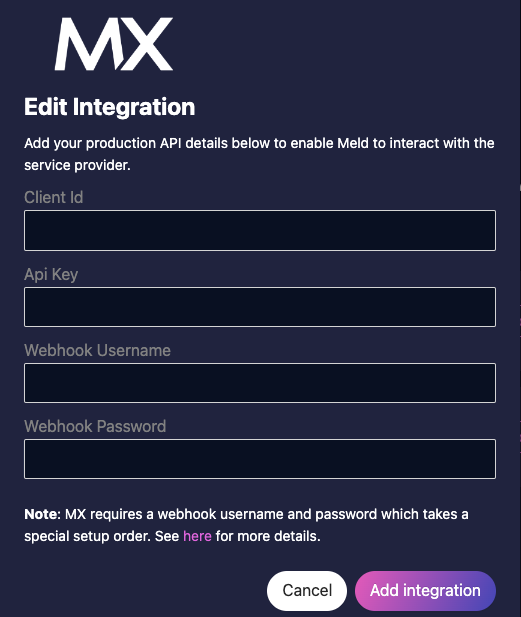
If you have your own MX account that you wish to integrate with Meld, you will need to provide the following credentials securely on the Meld Integrations Tab on the dashboard:- Client ID
- API Key
- Webhook Username
- Webhook Password
MX Webhooks
MX specifically requires a webhook username and password when setting up webhooks to Meld. However, Meld needs your MX API Key and Client ID before we can generate a url for you to use set up webhooks in the MX dashboard. Therefore when setting up an MX integration, the recommended order of operations is for you to do the following:- Add your API Key and Client Id for MX in the dashboard and click Add Integration.
- Grab your Meld webhook url from the dashboard and use that to go and set up a webhook profile on MX’s dashboard. You should set up webhooks for Aggregation, Balance, Connection Status, and History.
- While still on MX’s dashboard, for each webhook, choose the security type basic and set up a webhook username and password. You should use the same username and password for all webhook types within an environment.
- Come back to Meld’s dashboard and add the username and password to the MX integration credentials.
Special Considerations
- In MX production, they require whitelisting the IP addresses that will be hitting their API. This means you will need to request that Meld’s IP’s be whitelisted on their dashboard. Depending on the Meld environment your MX production account is pointing to, will require different IP’s. They are as follows:
- Meld Sandbox:
3.12.70.233,18.188.161.75,52.14.94.218 - Meld Production:
23.20.254.181,44.195.151.201,44.196.135.166,54.158.91.174,54.173.48.67,184.73.192.20
- Meld Sandbox: